其他链接:
一、第一个koa的应用 - hello world
- 代码
// index.js
const koa = require('koa');
const app = new koa();

app.use(async (ctx, next) => {
  await next();
  ctx.response.type = 'text/html';
  ctx.response.body = '<h1>hello world</h1>';
});

app.listen(3001);
二、ctx
const koa = require('koa');
const app = new koa();

app.use(async (ctx, next) => {
  await next();
  ctx.response.type = 'json';
  ctx.response.body = JSON.stringify({
    ctx: ctx
  });
});

app.listen(3001);
- 结果图:
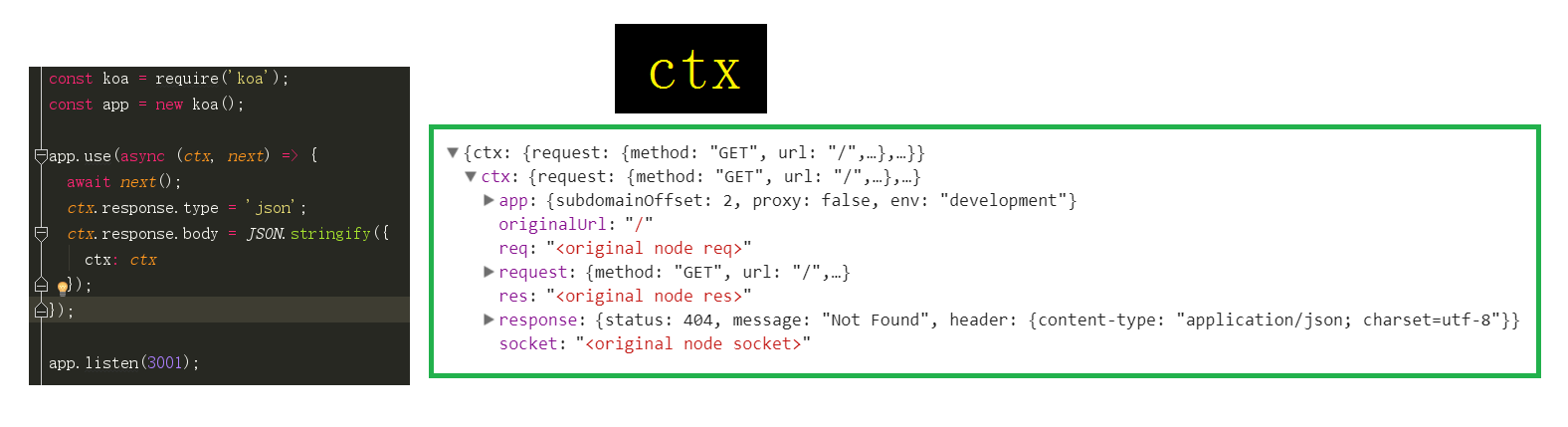
- 由上图可以看出,
ctx是一个对象,其包含response(即:http.ServerResponse对象)和request(即:http.IncomingMessage对象)。
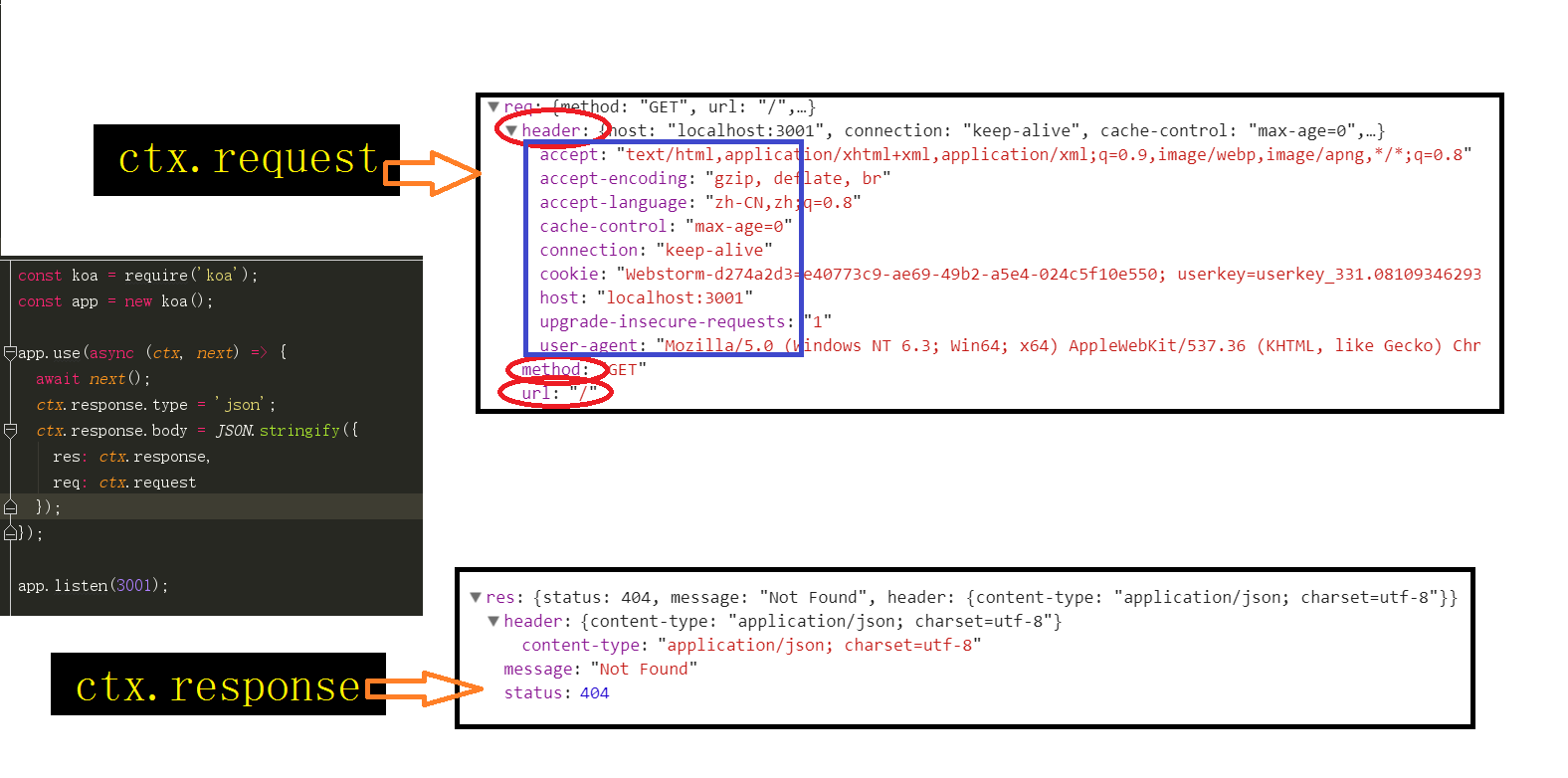
三、ctx.response 和 ctx.request
const koa = require('koa');
const app = new koa();

app.use(async (ctx, next) => {
  await next();
  ctx.response.type = 'json';
  ctx.response.body = JSON.stringify({
    res: ctx.response,
    req: ctx.request
  });
});

app.listen(3001);
- 结果图: